WhatsApp Mobile Compatibility App for vTiger CRM

Free for 1 week

Bring CRM Actions Directly into WhatsApp

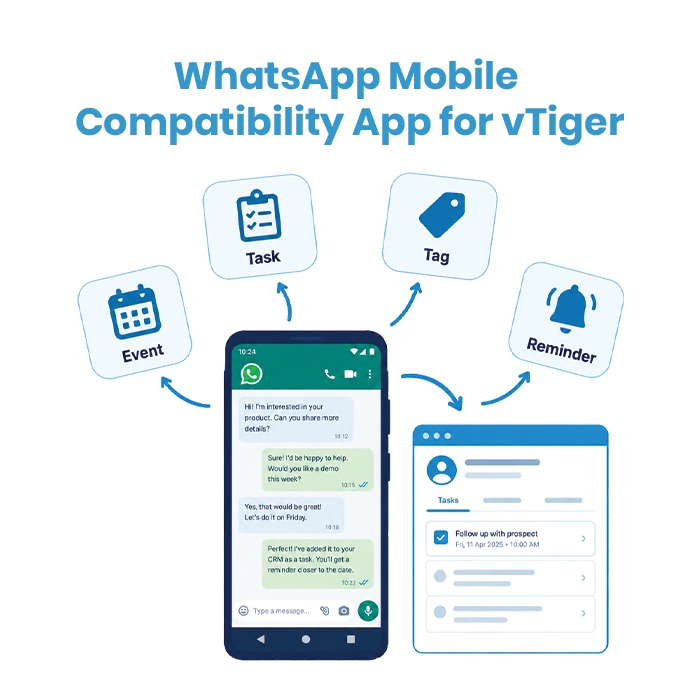
Simplify your daily workflow with the WhatsApp Mobile Compatibility App for vTiger. Access essential CRM actions directly from your Android WhatsApp, including Tasks, Events, Reminders, and Tags.

Create a follow-up task, schedule an event, or tag an important message in just a few clicks. Events can also be synced directly with your device calendar, helping you keep important activities organized and on track.

Clear

Categories: , , , SKU: N/A

Description

Turn WhatsApp Conversations into Actionable CRM Activities

Manage important customer conversations and CRM activities directly from WhatsApp. The WhatsApp Mobile Compatibility App for vTiger lets you create Tasks, Events, and customized Tags without switching between apps.

Key Features

  • Create Tasks: Convert customer requests and follow-ups into actionable CRM tasks.
  • Create Events: Schedule meetings directly from WhatsApp and sync them with your device calendar.
  • Tag Messages: Mark important messages for quick reference.
  • Custom Tags: Create and manage tags based on your business requirements.
  • Manage Activities: View and organize CRM activities directly from WhatsApp.

From Conversation to Action

Chat → Tag Important Messages → Create Task/Event → Follow Up

Keep your WhatsApp conversations organized and ensure important customer follow-ups never get missed.

Compatibility

  • vTiger CRM: Compatible with vTiger 7.x, vTiger 8.x, and custom cloud instances.
  • Mobile Operating System: Android 9.0 (Pie) and above.
  • WhatsApp Versions: Compatible with standard WhatsApp and WhatsApp Business.

License & Support

  • Module Manager Compatible
    Fully compatible with vTiger’s Module Manager for easy installation and management.
  • Core Code Safe
    We do not modify your core code unless explicit permission is granted.
  • Free Support
    Up to 10 hours of free support provided within 3 months from the date of purchase.
    After this period, standard hourly support rates will apply.
  • Free Updates
    Free module updates are included for the first year.
    (Module remains active for lifetime use.)
  • Refund Policy
    No refunds applicable for modules with a free trial.
    15-day money-back guarantee available for modules without a trial period.
  • Upgrades
    Enjoy 90 days of free upgrades after purchase.
    After 90 days, regular upgrade charges will apply

FAQ

  • Does this app work on iOS (iPhone)?
  • No. Due to iOS security restrictions preventing cross-app accessibility overlays, this compatibility tool is supported exclusively on Android devices.
  • Does the app read or store my private WhatsApp messages?
  • No. The app operates with strict privacy standards. It does not store or transmit your chat conversations to any external servers. It only sends the task, event, or reminder data you explicitly choose to create directly to your own vTiger CRM server.
  • Does it support WhatsApp Business?
  • Yes, the app works seamlessly across both personal WhatsApp and WhatsApp Business accounts on Android.
  • Can I assign tasks or events to other team members?
  • Yes. When creating a task or event from the mobile overlay, you can select the assigned user or group directly from the dropdown list synced from your vTiger CRM.
  • What happens if the WhatsApp phone number does not exist in vTiger?
  • If the contact number does not match an existing record, the app gives you the option to quickly create a new Lead or Contact before attaching the task or reminder.

Help

How It Works & Android Setup Guide

Note: This is a dedicated Android compatibility application. Due to operating system permissions required for chat overlay detection, this tool is available exclusively on Android OS.

Step-by-Step Setup:

  1. Install the Mobile App:
    • Download and install the vTiger WhatsApp Compatibility APK on your Android smartphone.
  2. Connect to Your vTiger Instance:
    • Open the app, enter your vTiger CRM URL, Username, and your Access Key (found in vTiger under My Preferences).
    • Tap Authenticate & Connect.
  3. Grant Android Accessibility & Overlay Permissions:
    • Go to Settings > Apps > Special App Access > Display Over Other Apps and enable permission for the app.
    • Go to Settings > Accessibility > Installed Services/Apps, locate the app, and toggle it to Enabled (this allows the app to detect WhatsApp context and display the quick-action tool).
  4. Disable Battery Optimization:
    • Set battery usage for the app to Unrestricted to prevent the background sync from closing during active messaging.
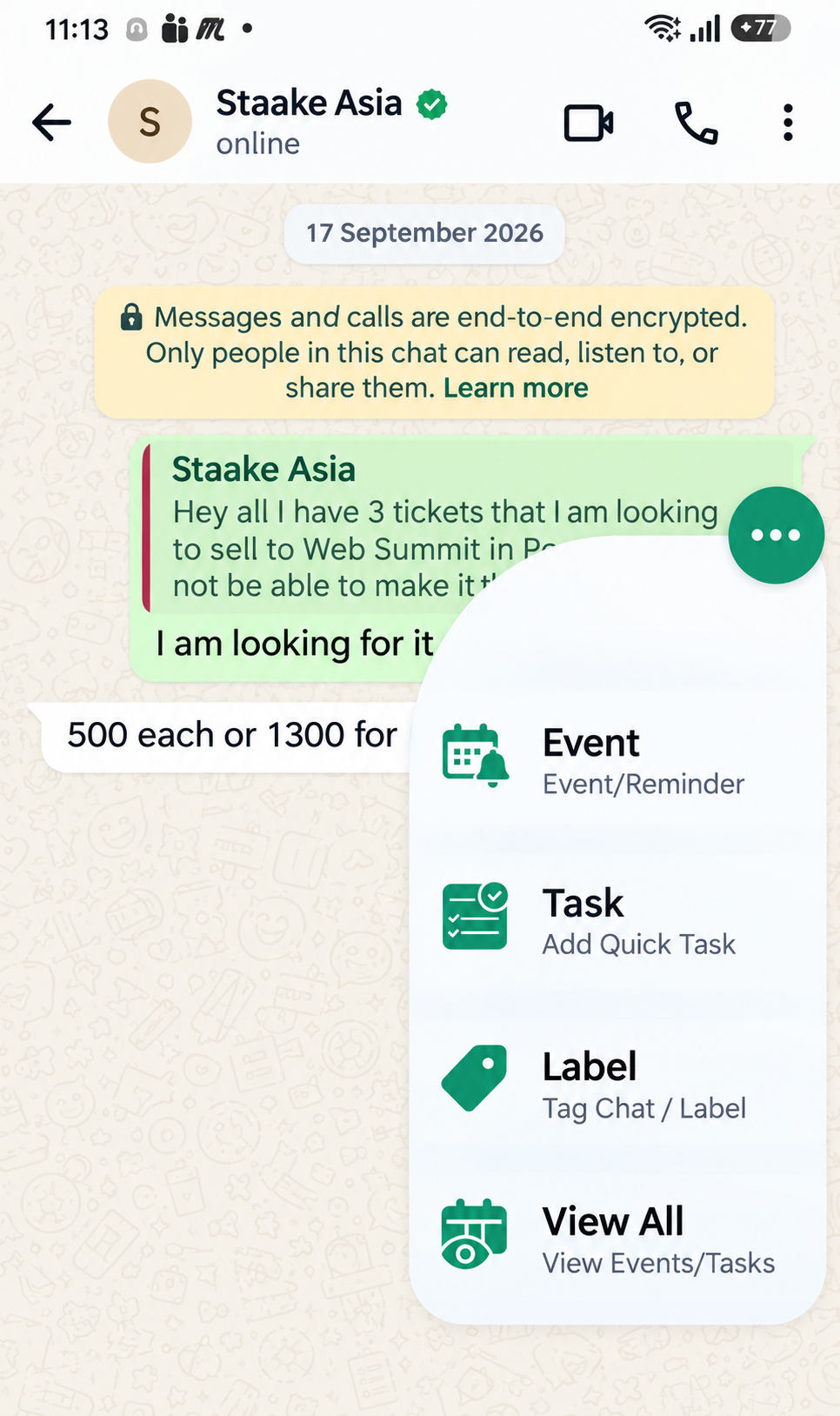
  5. Start Creating CRM Records from WhatsApp:
    • Open WhatsApp and open any conversation.
    • Tap the floating vTiger Widget on the screen.
    • Select Create Task, Schedule Event, or Set Reminder, verify pre-filled fields, and tap Save to CRM.

Reviews

There are no reviews yet.

Be the first to review “WhatsApp Mobile Compatibility App for vTiger CRM”