


Description
Widget Management for Your CRM Summary View
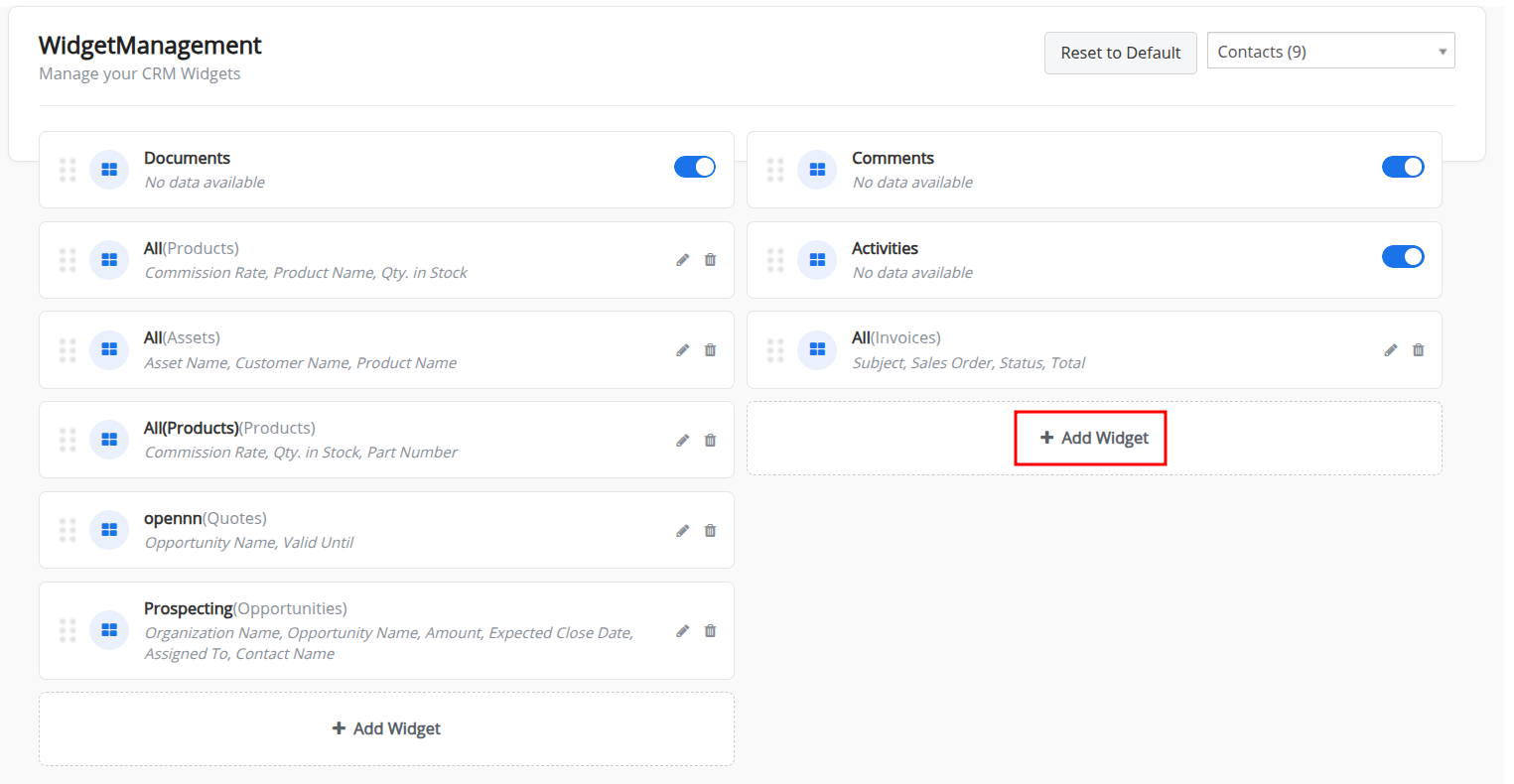
The Widget Management Extension helps CRM administrators personalize the Summary View of supported modules by giving them control over the widgets, data sources, fields, visibility, and widget order.
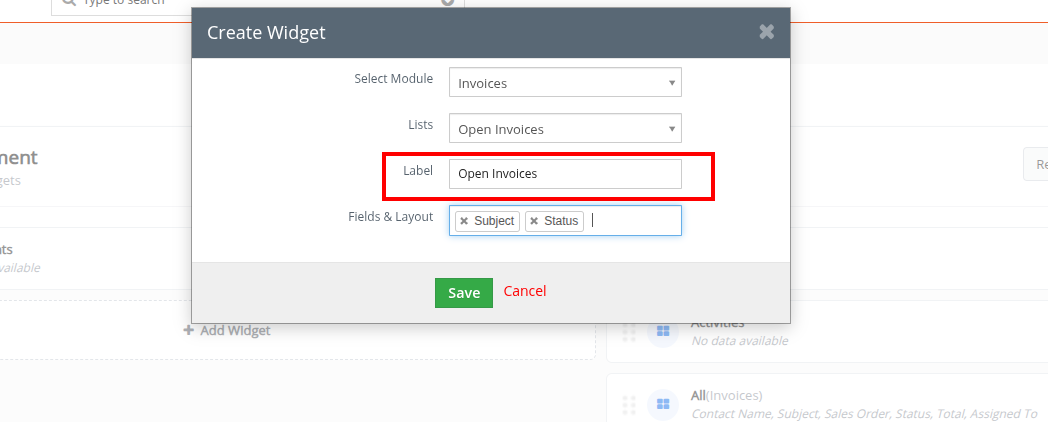
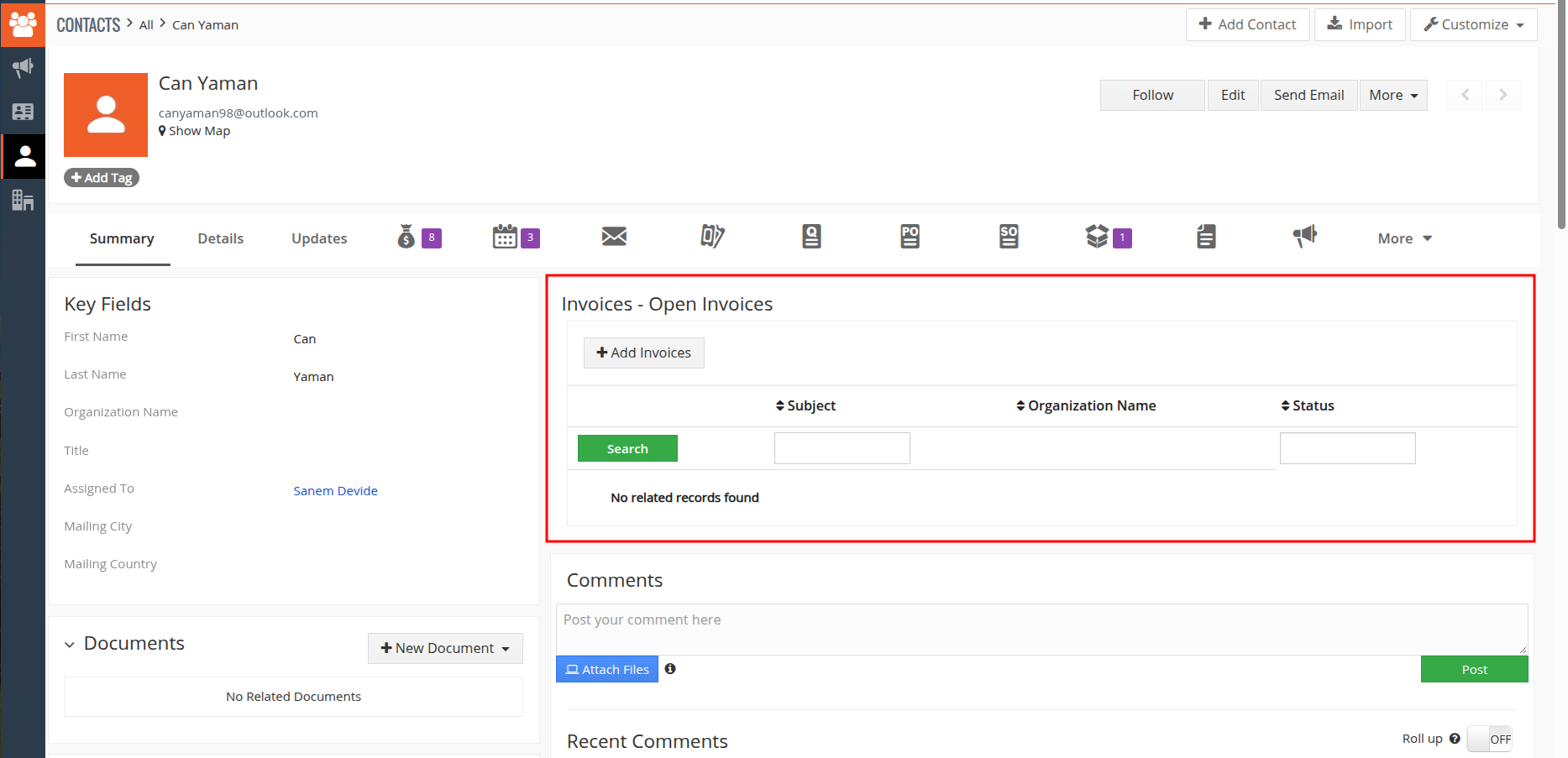
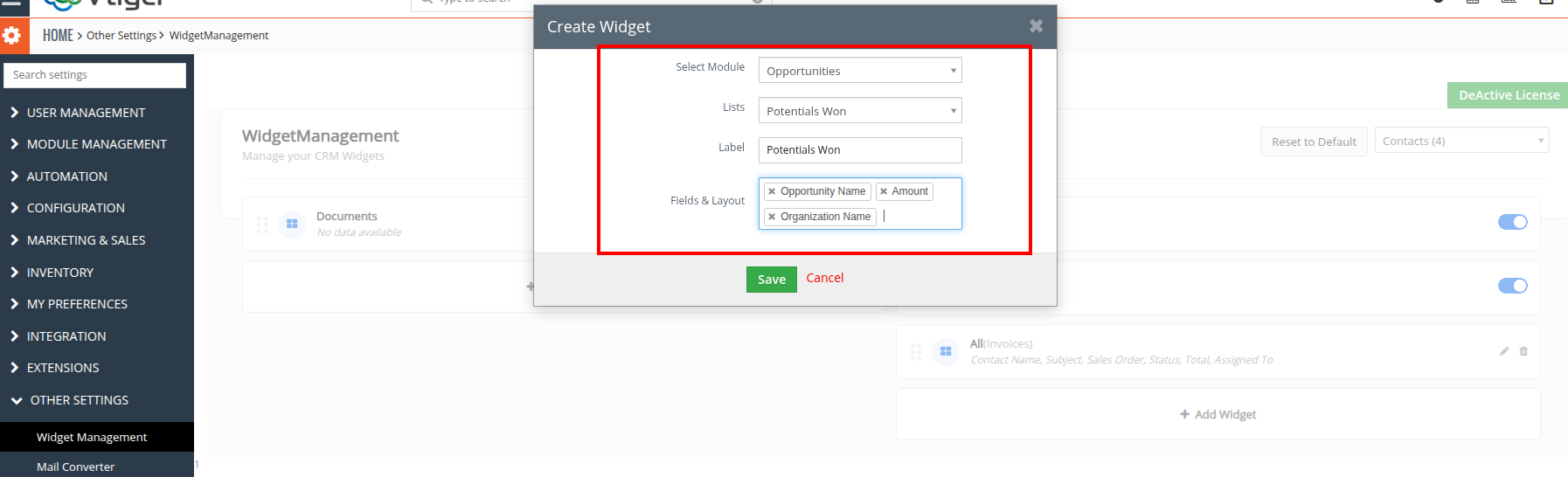
Administrators can create custom widgets based on records from different CRM modules and select the appropriate CRM list to determine which records should appear. This makes it easier to bring relevant information into the Summary View without requiring users to navigate through multiple CRM screens.
Create Widgets from Different CRM Modules
When creating a widget, administrators can select the module from which records should be loaded. Supported modules may include:
- Contacts
- Organizations
- Leads
- Invoices
- Sales Order
- Tickets
The selected module determines the source of records displayed within the widget.
Select the Records to Display
Administrators can select a CRM list to control which records are shown in the widget. This allows widgets to display specific sets of CRM records based on the available list configuration.
Choose the Fields to Display
Widget Management allows administrators to select the fields that should appear in a widget. The displayed fields are based on the module’s Fields & Layout configuration, helping teams focus on the information that matters most.
Manage Widget Visibility and Layout
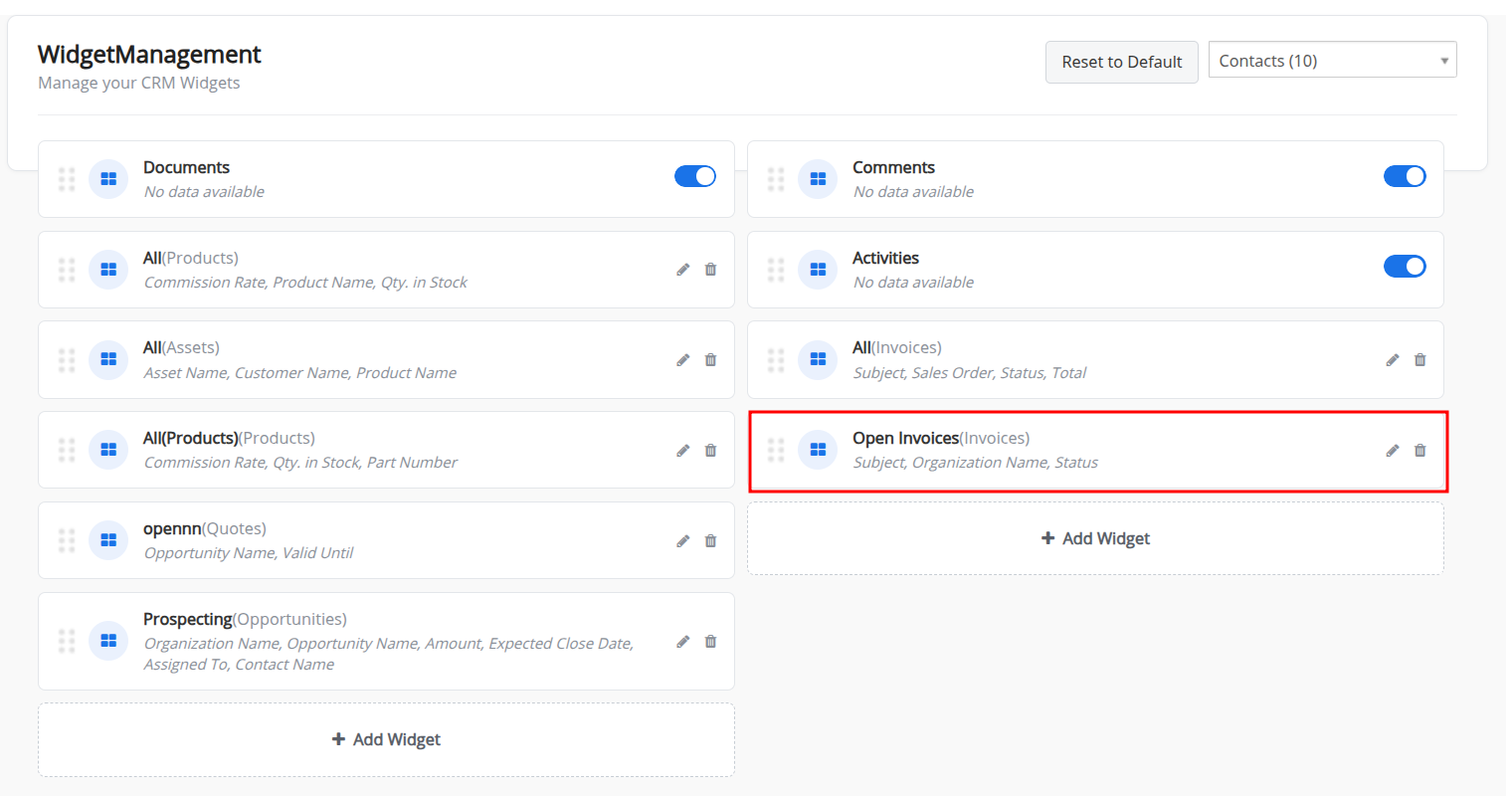
Administrators can activate or deactivate widgets according to their requirements. Widgets can also be rearranged using drag and drop, making it easy to organize the Summary View and place important information where users can access it quickly.
Manage Custom and Default Widgets
Custom widgets can be edited or deleted when requirements change. Default widgets cannot be edited or deleted, but administrators can activate, deactivate, and reposition them.
Restore the Default Configuration
The Reset option allows administrators to restore the widgets to their default configuration whenever required.
Built for Organized CRM Views
With Widget Management, administrators can create a more structured and personalized Summary View, helping users access relevant CRM records and information directly from the module without unnecessary navigation.
Note: Widget Management works with CRM modules that have a Summary View.


Reviews
There are no reviews yet.